

Meta Title: How to Repair HDMI Cable Connectors and Wires (DIY Guide)
Meta Description: Wondering how to repair HDMI cable damage? Save money with this complete, step-by-step DIY fix guide for homeowners and renters.
If your screen is flickering or showing no signal, you might be wondering how to repair HDMI cable issues yourself. It happens to all of us.
One day your movie night is going great, and the next, your TV screen goes completely black. Replacing long or in-wall cables can be a massive headache.
Hiring a technician costs even more. But you do not have to throw away a perfectly good cord just yet.
Fixing it yourself saves money and teaches you a valuable new skill. You can get your home theater running again in just an afternoon.
Let us walk through this simple repair process together.
What Causes HDMI Cable Problems?
Before we jump into the fix, we need to understand what went wrong. HDMI cables carry a lot of complex audio and video data.
Even minor damage can disrupt that signal. Here are the most common culprits behind your cable issues:
- Bent Connectors: Tripping over a cord often bends the metal plug at the end.
- Broken Pins: Forcing a cable into the wrong port can easily snap the tiny gold pins inside.
- Frayed Wires: Pets chewing on cords or sharp furniture edges can slice through the protective jacket.
- Internal Wire Breaks: Tightly wrapping cables stretches and snaps the delicate copper wires hidden inside.
- Corrosion: High humidity or liquid spills can rust the metal contacts over time.
Essential Tools and Materials Needed
You cannot fix a cable with just duct tape. We need the right tools for a permanent repair.
Gather these items before you start. Having everything on hand makes the job much smoother.
- Replacement HDMI Connector: You can buy a solderless breakout board or a solder-type replacement head online.
- Wire Strippers: Essential for removing the thick outer rubber jacket without cutting the internal wires.
- Precision Craft Knife: Helps carefully slice away internal foil shielding.
- Digital Multimeter: Crucial for testing continuity and finding out which wire goes to which pin.
- Soldering Iron and Rosin-Core Solder: Only required if you choose the soldering repair method.
- Heat Shrink Tubing: Keeps the final repair insulated, safe, and looking professional.
- Electrical Tape: Helpful for temporary holds and labeling wires.
Step-by-Step Fix Guide: How to Repair HDMI Cable Ends
Ready to get to work? This guide focuses on replacing a damaged HDMI connector head.
This is the most common point of failure. We will take it slow and steady.
Step 1: Cut Off the Damaged Connector
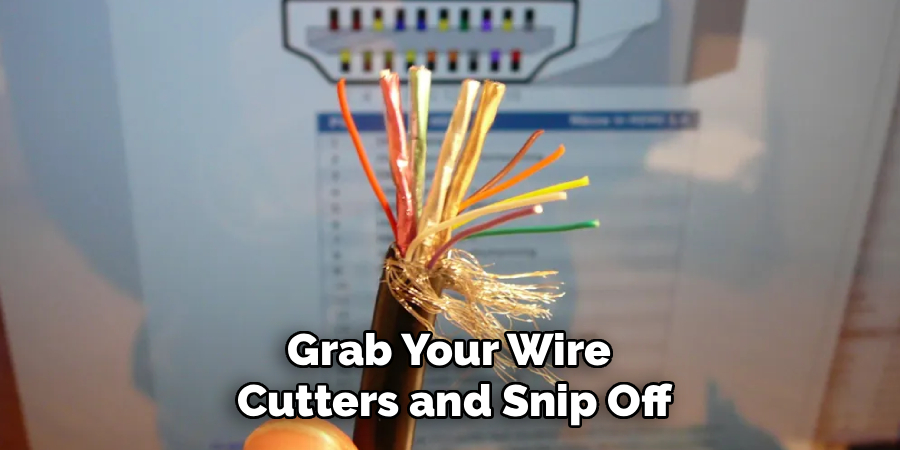
Grab your wire cutters and snip off the broken HDMI head. Cut about an inch below the damaged area.
You want to start with completely fresh, undamaged wire. Throw the old, broken head away so it does not confuse you later.
Slide a piece of heat shrink tubing over the main cable now. You will need this later to seal the repair, and you cannot put it on once the new head is attached.
Step 2: Strip the Outer Jacket
Use your wire strippers to remove about an inch of the thick outer rubber jacket. Be very gentle.
If you press too hard, you will slice right through the delicate wires inside.
Once the rubber is off, you will see braided metal shielding and silver foil.
Carefully peel back and trim away this foil. You should now see around 19 tiny individual wires.
Step 3: Organize and Prep the Inner Wires
These 19 wires are color-coded. However, HDMI wire colors are not standard across all brands.
You need to strip a tiny amount of insulation off the tip of each small wire. Use your precision knife or automatic strippers for this.
Twist the exposed copper on each wire tightly. This prevents stray strands from causing a short circuit later.
If you are using a soldering iron, apply a tiny amount of solder to tin the tips of each wire.
Step 4: Map the Wiring (Crucial Step)
Because wire colors vary, you must map them. If you have a working cable of the exact same brand, use your multimeter.
Test the continuity from the good connector pins to the exposed wires to see which color goes where.
If you do not have a reference, look up the pinout diagram for your specific cable brand online.
Write down your map on a piece of paper. You will need to match each colored wire to the correct numbered pin on your new connector.
Step 5: Attach Wires to the New Connector
Now it is time to connect the wires. We will use the terminal block (solderless) method since it is best for beginners.
Look at your replacement HDMI breakout board. It will have tiny screw terminals numbered 1 through 19.
Insert each colored wire into its corresponding numbered slot based on your map.
Use a micro-screwdriver to tighten each terminal securely. Give each wire a gentle tug to ensure it is locked in place.
Step 6: Test the Connection
Do not seal everything up just yet! We need to make sure the repair actually worked.
Plug your newly repaired cable into your media device and your television. Turn both devices on.
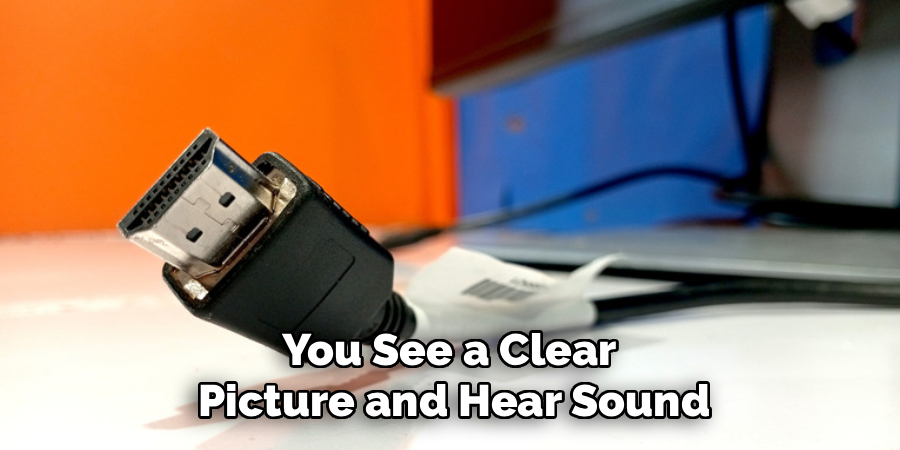
If you see a clear picture and hear sound, congratulations! Your wiring is correct.
If the screen is blank or flashing, double-check your wire map. You likely have two wires swapped.
Step 7: Seal and Protect the Repair
Once the cable works perfectly, unplug it from your devices.
Slide the plastic shell casing over your new breakout board connector and snap it shut.
Next, slide the heat shrink tubing up so it covers the gap between the new plastic shell and the original cable jacket.
Use a heat gun or a hair dryer on high heat to shrink the tubing. This locks the repair in place and prevents future bending damage.
Important Safety Warnings
Safety always comes first when doing DIY repairs. Low-voltage cables are generally safe, but risks still exist.
Never try to repair a cable while it is plugged into a wall outlet, TV, or gaming console.
If you are using a soldering iron, work in a well-ventilated area to avoid breathing in toxic fumes.
Soldering irons get incredibly hot and can cause severe burns. Always rest the iron on a proper stand when not in use.
If your HDMI cable is routed near high-voltage electrical wires inside a wall, turn off the breaker before pulling on it.
When to Call a Professional (or Buy a New Cable)
DIY is great, but it has its limits. Sometimes fixing it yourself is not the best route.
If you are dealing with a standard 3-foot cable you bought for ten dollars, repairing it is not worth your time.
Simply buy a new one. The cost of a replacement connector alone will equal the price of a basic cord.
However, if your cable is 50 feet long or routed behind drywall, repairing the end saves you massive demolition costs.
Call a professional if the HDMI port on your actual television is broken. Replacing a motherboard port requires advanced micro-soldering skills.
Cost Estimate: DIY vs. Pro Repair
How much money are you actually saving here? Let us break down the costs.
A DIY solderless replacement connector costs about $8 to $15 online.
If you already own wire strippers and a screwdriver, your total cost is under $15.
Hiring a home theater professional to re-run an in-wall HDMI cable can cost between $150 and $300.
If they just repair the tip, a technician will still charge a minimum service fee of around $75 to $100.
Doing it yourself keeps a lot of cash in your wallet.
Frequently Asked Questions
Can I splice two broken HDMI cables together?
It is possible, but highly discouraged. HDMI signals require exact timing and heavy shielding.
Splicing 19 tiny wires together perfectly in the middle of a cord usually results in signal loss or heavy screen flickering.
Why is my repaired cable only showing 1080p and not 4K?
You might have a slightly loose connection on one of the data pins.
Higher resolutions require more bandwidth. Check your terminal screws and make sure no copper strands are touching adjacent pins.
Do I have to solder to fix an HDMI cord?
No. Solderless terminal breakout boards are widely available and perfect for beginners.
You simply strip the wires and lock them into place with tiny screws, bypassing the need for hot metal.
How to repair HDMI cable ports on a TV?
Port repair is complex. It involves opening the TV, desoldering the broken port from the motherboard, and micro-soldering a new one.
Unless you are highly experienced with circuit boards, this is a job best left to TV repair professionals.
Conclusion
Learning how to repair HDMI cable ends can save you a tremendous amount of time and money.
Instead of ripping open your drywall to run a new wire, you can simply attach a fresh connector.
Remember to take your time stripping the wires, map your colors carefully, and always test the signal before sealing the plug.
You do not need to be an engineer to pull this off. With a little patience and the right tools, you can get your home theater back in action.
Do you have other broken electronics sitting around your house? Check out our other beginner-friendly repair guides to keep saving money and mastering your DIY skills!