

A cracked television can feel like a punch to the gut, especially when you remember what you paid for it. Maybe a remote went flying, a child’s toy hit the glass, or it tipped during a move. Whatever happened, you’re now staring at spiderweb lines or black blotches across your favorite shows. The good news? You have options before you toss it out.
This guide on how to repair a cracked tv screen walks you through what’s actually fixable, what isn’t, and how to make smart choices with your money. You’ll learn how to diagnose the damage, attempt safe repairs, protect the panel temporarily, and recognize when replacement beats repair. The purpose of this guide is simple: to help you make a confident, informed decision and, where possible, get your TV working again without overpaying a technician.
Why Repairing a Cracked TV Screen Matters
Knowing how to handle a damaged display saves you real money and stress. A new mid-range TV can cost several hundred dollars, so understanding your repair options first just makes sense. For homeowners and renters who’d rather solve problems themselves, this skill puts you back in control instead of waiting on a service appointment.
It also keeps usable electronics out of landfills. Many TVs suffer minor display damage that looks worse than it is, and a calm, careful inspection often reveals an easy fix.
Beyond the savings, there’s real satisfaction in troubleshooting your own gear. You’ll learn how your TV is built, what its internal components do, and how to spot trouble early. That confidence carries over to every future repair you tackle.
Tools and Materials You’ll Need
Gathering the right gear before you start makes the whole job smoother and safer. You don’t need a workshop, just a few basics and a steady surface to work on.
Here’s what to have ready:
Safety glasses to protect your eyes from glass shards.
Clean microfiber cloths for wiping the surface.
A soft blanket or towel to lay the TV face-down.
A small Phillips and flathead screwdriver set.
A plastic pry tool or old credit card for opening panels.
Replacement parts matched to your exact TV model, if you’ve ordered them.
Adhesive strips or screen-safe tape for securing trim and bezels.
Isopropyl alcohol (90% or higher) for cleaning contacts.
A flashlight or headlamp to see into tight spaces.
One optional convenience item: a small magnetic parts tray. It keeps tiny screws from rolling away and saves you from crawling around the floor later.
Step-by-Step Guide on How To Repair A Cracked TV Screen
Step 1 – Power Down and Unplug Completely
Before you touch anything, kill the power. Switch the TV off, then pull the plug from the wall and wait at least 30 minutes. Older models store electricity in their internal components, and that charge can give you a nasty shock if you rush.
While you wait, clear your workspace and lay down a soft blanket. You’ll want a flat, padded surface large enough to hold the whole TV face-down without the screen touching anything hard.
Put on your safety glasses now. Cracked glass loves to shed tiny, near-invisible slivers, and they have a way of finding your fingers and eyes. Take a slow breath here. The calmer you start, the cleaner your work will be.
Step 2 – Inspect the Damage Closely
Grab your flashlight and study the crack carefully. You’re trying to figure out what actually broke. Is it just the outer glass, or has the LCD panel underneath failed?
Look for telltale signs. Spreading black ink-like blotches, rainbow streaks, or large dead zones usually mean the panel itself is damaged. Those internal layers can’t be repaired at home. A thin surface crack with a perfect picture behind it, though, points to outer glass damage, which is far more workable.
Run a gentle fingertip near the crack and feel for raised edges or loose shards. Note where the damage starts and stops. This honest assessment shapes every decision you make next, so don’t rush it or talk yourself into false hope.
Step 3 – Decide If Repair Makes Sense
Here’s the hard truth: most modern flat screens with a cracked LCD panel aren’t worth fixing at home. The panel is the single most expensive part, and screen replacement often costs nearly as much as a brand-new set.
Weigh the cost of repair against the price of a comparable TV. If a replacement panel runs 60% or more of a new unit, replacement is usually the smarter move. Check your TV model number online and price the part before committing.
If the damage is purely cosmetic outer glass and the display still works, repair makes great sense. Knowing how to repair a cracked tv screen starts with this honest math, so be realistic rather than hopeful.
Step 4 – Remove the Back Panel and Bezel
If you’ve decided to proceed, it’s time to open things up. Flip the TV face-down onto your padded blanket and locate the screws around the back panel. Use your magnetic tray to keep them organized.
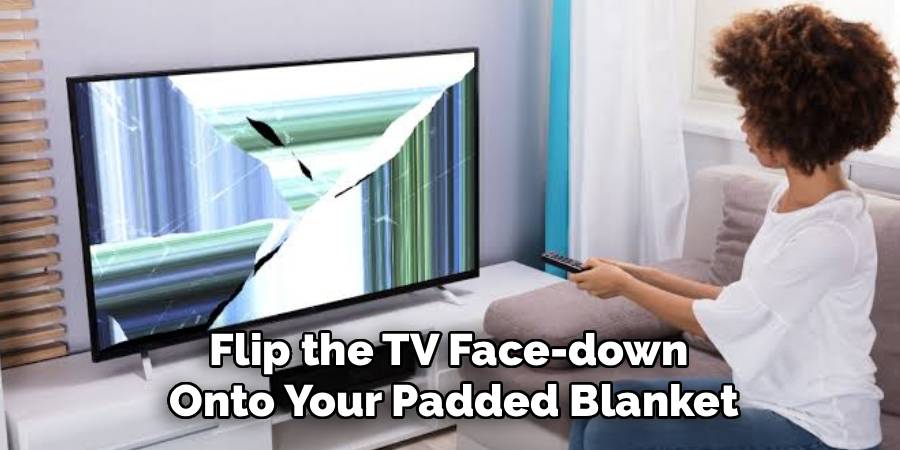
Work the plastic pry tool gently along the seams. You’ll hear soft clicks as plastic clips release. Go slow here; forcing it cracks brittle plastic and creates new problems. Note how the bezel sits so you can reverse the process later.
Snap a few photos with your phone as you go. Trust me, those pictures become priceless when you’re staring at a pile of parts an hour later. Set each piece aside in the order you removed it.
Step 5 – Detach the Damaged Glass Layer
With the bezel off, you can reach the cracked outer glass on some models. Carefully note any ribbon cables connecting the display to the board, and avoid tugging them.
Slide your plastic tool under the glass edge and apply slow, even pressure to release the adhesive holding it. The bond can be stubborn, so warm it gently with a hairdryer on low if needed. You’ll feel the glass start to give.
Lift the broken layer away in one piece if you can, catching any loose shards on a cloth beneath. This is the most delicate moment of learning how to repair a cracked tv screen, so keep your movements small, deliberate, and patient throughout the entire process.
Step 6 – Clean the Surface Thoroughly
Once the broken glass is gone, you’ll see leftover adhesive residue and dust on the panel beneath. A clean surface is essential for any new layer to sit flat and bond properly.
Dampen a microfiber cloth with isopropyl alcohol and wipe gently in straight lines. Don’t soak it; you want barely-there moisture, not drips running toward the internal components. Watch the old glue lift away as you work.
Check your lighting and tilt the panel under the flashlight to spot smudges or stray fibers. Even a single speck trapped under new glass shows up clearly once the TV is on. Let everything air-dry completely before you move forward.
Step 7 – Install the Replacement Layer
Now position your new glass or replacement part, lining it up with the screw holes and edges. Dry-fit it first without removing any adhesive backing, just to confirm a perfect match to your TV model.
When you’re happy with the fit, peel the adhesive strips a little at a time and press the layer down from one edge to the other. This rolling motion pushes air out and prevents bubbles. Use steady, even pressure across the whole surface.
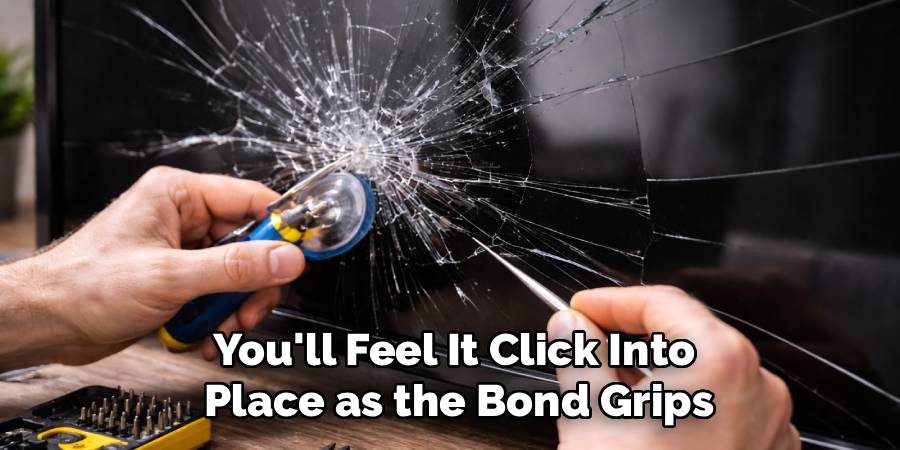
You’ll feel it click into place as the bond grips. Don’t slide it around once it touches down, since repositioning weakens the adhesive and traps dust. Take your time and let it settle.
Step 8 – Reassemble and Test
Work backward through your photos to put everything together. Reattach the bezel, press the clips until they click, and drive each screw back in without overtightening. Stripped threads are an easy mistake to avoid.
Reconnect any cables you loosened, double-checking they’re seated firmly. Loose ribbon connections cause flickering or dead sections that look like new display damage but aren’t.
Set the TV upright, plug it back in, and power it on. Watch the screen come to life and scan for lines, dark spots, or color issues. If the picture looks crisp and even, congratulations. If problems remain, power down and recheck your connections before assuming the worst.
Critical Mistakes When Repairing a Cracked TV Screen
The biggest mistake is assuming every crack is fixable. People pour money and hours into a TV with a shattered LCD panel, only to discover the damage was never repairable at home. Always diagnose first, then decide. A perfect picture behind a surface crack means hope; spreading black blotches usually mean the set is done.
Another common error is skipping safety steps. Folks dive in without unplugging, without waiting for stored charge to dissipate, and without safety glasses. That combination invites both electric shock and glass injuries. Slow down and protect yourself first, every single time.
Rushing the disassembly causes trouble too. Forcing a stubborn bezel snaps plastic clips, and losing track of screws turns a tidy job into a frustrating hunt. Photograph each step and use a parts tray to stay organized.
Finally, many people ignore the cost of repair math. They buy expensive parts before checking what a new TV costs, then spend nearly the same money on an older model. Price the replacement panel against a fresh set first, and let the numbers guide your choice rather than your emotions.
Expert Tips
Always start with your TV model number. It unlocks accurate part listings, manuals, and teardown videos specific to your set, which saves hours of guesswork. Punch it into a search along with “panel replacement” before you buy anything.
If the panel is cracked but you can’t replace it yet, protect it temporarily. Cover the surface with clear packing tape to contain loose shards and keep the crack from spreading. It’s not pretty, but it buys time and prevents injuries.
Keep static in mind while handling internal components. Touch a grounded metal surface before working, and avoid carpets and wool sweaters. A little caution protects the delicate boards inside from invisible damage you’d never trace later.
Frequently Asked Questions
Can you actually fix a cracked TV screen at home?
Sometimes, yes. If only the outer glass is cracked and the picture behind it stays clear, you can often replace that layer yourself. But if the LCD panel underneath is damaged, with black spots, lines, or rainbow streaks, home repair usually isn’t realistic. The panel is too costly and delicate, making screen replacement or a new TV the smarter call.
How much does it cost to repair a cracked TV screen?
The cost of repair varies widely. A simple outer glass swap might run $20 to $80 in parts. A full LCD panel, however, often costs $200 or more, frequently approaching the price of a new TV. That’s why pricing the part against a fresh set matters before you commit any money.
Is it cheaper to repair or replace a damaged TV?
It depends on the damage and your TV’s value. For minor surface cracks, repair wins easily. For a broken panel, replacement is usually cheaper and far less frustrating. Compare these quickly:
- Repair: Best for outer glass cracks with a working display.
- Replace: Best when the panel is broken or parts cost 60%+ of a new TV.
Will a cracked screen get worse over time?
It can. Cracks spread with temperature changes, vibration, and pressure from handling or cleaning. Even a small line can creep across the display over weeks. If you can’t repair it right away, cover the surface with clear tape and avoid pressing on the glass. This contains shards and slows the spreading until you decide your next step.
Do I need special tools to open my TV?
Not really. A basic screwdriver set, a plastic pry tool, and safety glasses cover most jobs. A magnetic parts tray and a flashlight make things easier but aren’t essential. The most valuable “tool” is patience. Work slowly, photograph each step, and keep your screws organized so reassembly goes smoothly later.
Conclusion
A cracked television isn’t always the end of the road, but it isn’t always a quick fix either. The smartest first move is honest diagnosis. Outer glass cracks with a clear picture behind them are often worth repairing yourself, while a damaged LCD panel usually points toward replacement. Let the numbers and the evidence guide you, not wishful thinking.
When you do attempt a fix, safety comes first. Unplug, wait, wear your safety glasses, and work slowly through each step. Stay organized, protect the internal components, and test carefully before celebrating. If repair doesn’t make sense, temporary protective steps like clear tape can keep things safe until you replace the set.
You now have the full picture on how to repair a cracked tv screen, from inspection to reassembly to knowing when to walk away. That knowledge saves money, reduces waste, and builds real confidence for your next project. Take a breath, weigh your options, and tackle it on your own terms. You’ve got this, and your wallet will thank you.