

We have all been there before. You are listening to your favorite song, and suddenly, the sound cuts out in one ear.
You wiggle the cable, and the music comes back for a brief second. This is incredibly frustrating, but you do not need to rush out and buy a brand-new pair.
Learning how to repair headphone wire is a fantastic skill that can save you a significant amount of money. It is much easier than you might think, even if you have zero technical experience.
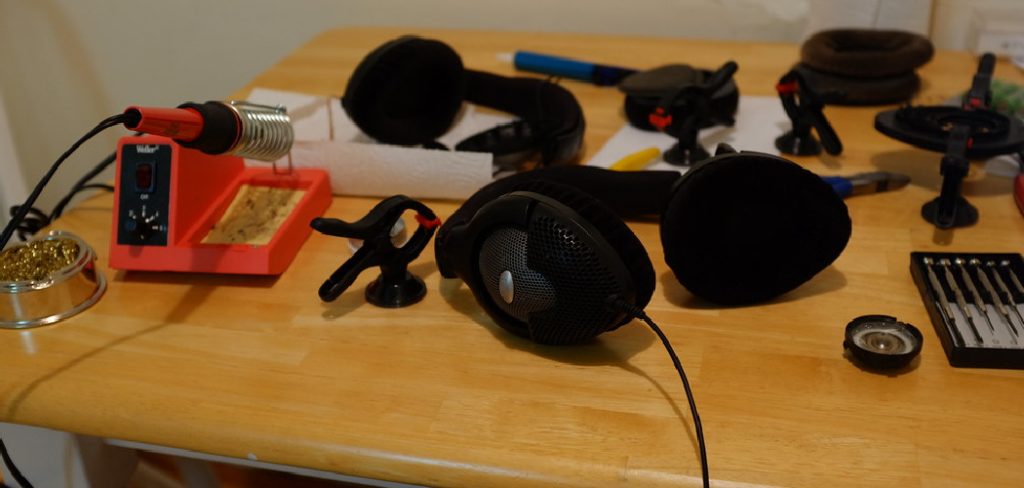
Most audio cable issues stem from a simple break in the internal copper connection. Instead of tossing expensive gear in the trash, you can fix it right at your kitchen table.
In this guide, we will walk through the entire process together. You will learn exactly what tools you need and how to restore your favorite headset.
Grab your broken headphones, and let us get started on this easy weekend project.
What Causes Headphone Wires to Break?
Before we jump into the fix, it helps to understand why this happened in the first place. Headphone cables are delicate and take a lot of daily abuse.
Here are the most common culprits behind audio cable failure:
- Tugging on the cord: Pulling the plug out by the wire instead of the plastic base puts immense strain on the internal connections.
- Tight wrapping: Winding the cord tightly around your phone or a case bends the delicate internal copper strands until they snap.
- Pinch points: Accidentally closing the wire in a drawer or stepping on it can easily sever the connection inside the rubber casing.
- Pet damage: Cats and dogs love to chew on dangling rubber cords, leaving behind tiny punctures that ruin the audio signal.
- Normal wear and tear: Even with careful use, the spot where the cable meets the headphone jack naturally weakens over time.
Essential Tools and Materials You Will Need
You do not need an expensive engineering lab to fix your audio gear. A few basic household items and cheap hardware store supplies are all you need.
Gather the following items before you begin cutting into your cable.
Wire Cutters or Scissors
You will need something sharp to cleanly cut through the damaged section of the rubber cable. A small pair of diagonal wire cutters works best.
Wire Strippers or a Craft Knife
You need a tool to gently remove the outer rubber casing without slicing the fragile wires inside. A craft knife or box cutter requires a steady hand but works perfectly.
A Lighter or Matches
Headphone wires are usually coated in a clear enamel that blocks electrical currents. You will need a simple flame to burn this coating off.
Electrical Tape or Heat Shrink Tubing
Once you connect the wires, you must protect them. Heat shrink tubing looks much more professional, but standard electrical tape works fine in a pinch.
Soldering Iron (Optional but Recommended)
Twisting wires together works for a temporary fix. However, a cheap soldering iron and some solder will make your repair permanent and reliable.
Step-by-Step Guide on How to Repair Headphone Wire
Ready to bring your audio back to life? Take a deep breath, clear a well-lit workspace, and follow these simple steps.
Take your time with each phase of the repair. Patience is the key to getting a strong, clear audio connection.
Step 1: Locate the Damaged Area of the Cable
First, plug your headphones into an audio source and play some music. Gently bend the cable inch by inch, starting from the plug.
Listen closely for static, popping, or the sound coming back on. When you find the spot that changes the audio, you have found the break.
Use a piece of tape or a marker to label this exact spot. This ensures you do not cut into a perfectly healthy section of your headset.
Step 2: Cut the Cord and Strip the Insulation
Take your wire cutters and cut completely through the cable right where the damage is located. You should now have two separate pieces of wire.
Next, take your craft knife or wire strippers. Carefully score the outer rubber casing about an inch away from the cut on both ends.
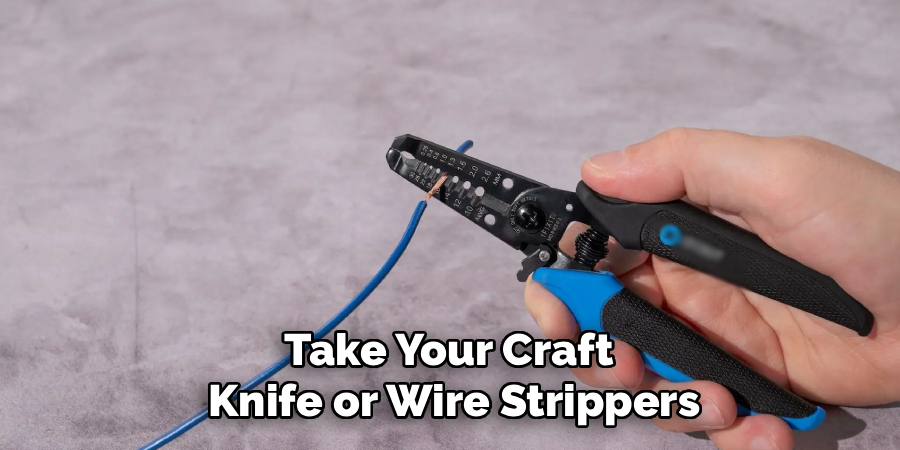
Pull the severed rubber casing off to expose the internal wires. Do this very gently so you do not accidentally rip the thin inner strands.
Step 3: Identify the Colored Audio Wires
Once you remove the outer jacket, you will see a few very thin, colorful wires. Most standard headsets have three or four specific wires inside.
Usually, you will find a red wire for the right audio channel and a green or blue wire for the left channel. You will also see a bare copper wire, which is the ground.
If you have a microphone on your headset, there may be a fourth wire. Group the matching colors together from both halves of your cut cable.
Step 4: Burn Off the Enamel Coating
Here is a secret that trips up many beginners. The colored wires are wrapped in an invisible enamel coating that prevents them from shorting out.
If you twist them together right now, you will not hear any sound. You must remove this enamel first.
Take your lighter and quickly run the flame over the exposed tips of the colored wires for one or two seconds.
Wipe away the burnt soot with a paper towel. You should now see shiny, bare copper at the tips of all your colored wires.
Step 5: Connect and Secure the Wires
Now it is time to reconnect your headset. Slip a piece of heat shrink tubing over the main cable before you start joining wires.
Take the matching colored wires from each side and twist the bare copper ends tightly together. Repeat this for the red, blue/green, and bare ground wires.
If you have a soldering iron, apply a tiny drop of solder to each twisted connection. This creates a rock-solid electrical bond that will not pull apart.
Make absolutely sure the different colored wires are not touching each other. If the bare parts touch, your audio will short out.
Step 6: Insulate the Connections and Seal the Cable
Wrap a very small piece of electrical tape around each individual twisted pair. This prevents the red wire from accidentally touching the ground wire inside the casing.
Once each small wire is safely taped, slide your larger piece of heat shrink tubing over the entire repair area.
Use your lighter or a hair dryer to gently heat the tubing. It will shrink down tightly, sealing your newly repaired cable against dirt and moisture.
Plug your headset in and test your favorite song. Enjoy that sweet sound of success!
Crucial Safety Warnings for Wiring Projects
Working on low-voltage electronics is generally very safe. However, you should always take a few basic precautions to protect yourself and your property.
Never work on headphones while they are plugged into a wall-powered amplifier or computer. Always disconnect them completely before cutting anything.
If you are using a lighter to burn off wire enamel, do it over a fire-safe surface. The internal nylon fibers can sometimes catch fire quickly.
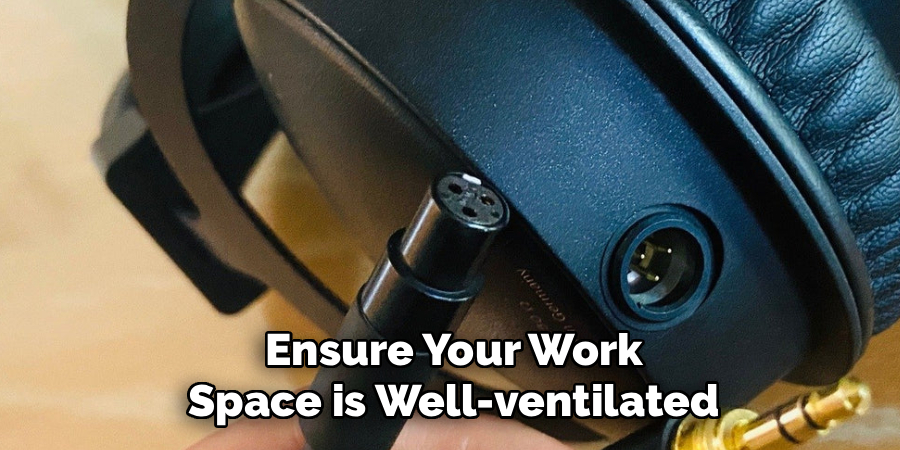
When using a soldering iron, remember that the tip gets extremely hot. Never rest it on a wooden table, and always use a proper soldering stand.
Finally, ensure your workspace is well-ventilated. Inhaling fumes from burnt enamel or melting solder is not good for your lungs.
Knowing When to Call a Professional
DIY repairs are incredibly rewarding, but there are times when a job is beyond a quick home fix. You need to know when to seek professional help.
If your headphones cost several hundred dollars, consider checking the warranty first. Cutting the cable yourself will instantly void any manufacturer guarantees.
Sometimes the break is not in the cable, but deep inside the actual plastic ear cup. Opening up the speaker housing requires specialized tools and delicate handling.
If you have wireless Bluetooth headphones with active noise cancellation, the internal wiring is highly complex. A simple cut-and-twist method will not work here.
In these cases, taking your gear to a local electronics repair shop is a smart move. They have the testing equipment needed to fix high-end audiophile gear safely.
Cost Estimate: DIY Fix vs. Professional Repair
One of the best reasons to learn this skill is the money you will save. The cost difference between doing it yourself and hiring a pro is massive.
A DIY repair is incredibly cheap. Electrical tape and a utility knife cost less than five dollars at any local hardware store.
Even if you invest in a starter soldering kit and heat shrink tubing, you will only spend around fifteen to twenty dollars. Plus, you get to keep those tools forever.
On the other hand, professional repair shops usually charge a minimum diagnostic fee. This can range from thirty to fifty dollars just to look at the device.
Factoring in parts and labor, a professional repair can easily cost between sixty and one hundred dollars. For standard headphones, buying a new pair is often cheaper than hiring a pro.
Frequently Asked Questions About How to Repair Headphone Wire
Can I fix a broken headphone plug without replacing the wire?
Yes, you can. If the break is right at the jack, you can cut the wire above the plug. You then buy a replacement 3.5mm jack online and solder the wires directly to the new metal pins.
Why is there only one side working after I twisted the wires together?
This usually means the enamel coating was not fully removed, or a connection came loose. You must make sure the bare copper is fully exposed and tightly twisted. Check that your red and blue wires are not touching the ground wire.
Do I absolutely need a soldering iron to fix this?
No, you do not absolutely need one. Tightly twisting the wires and securing them with tape will work for a temporary fix. However, a soldered joint is much stronger and guarantees better audio quality over time.
Can I use regular household tape instead of electrical tape?
We highly recommend against using regular clear office tape. It does not handle temperature changes well and will eventually peel off, exposing your wires. Always use proper electrical tape or heat shrink tubing.
How do I know if the speaker is broken or if it is just the wire?
If wiggling the cable makes the audio cut in and out, the wire is definitely the problem. If the sound is completely dead and wiggling does nothing, the speaker driver itself might be blown.
Conclusion
Bringing your favorite audio gear back to life is an incredibly satisfying project. Now that you know exactly how to repair headphone wire, you can tackle this issue with absolute confidence.
You do not need to be an electronics expert to save your gadgets from the trash bin. By following these straightforward steps, you can save money and reduce electronic waste.
Remember to take your time, carefully strip the wires, and make sure to burn off that invisible enamel.
Grab your tools, set up your workspace, and give your headphones a second chance at life today. If you enjoyed this guide, check out our other practical DIY repair articles for more money-saving tips around the house!